
- (866) 254-5368
- info@tledgers.ca
- Mon-Fri 9am - 8pm

- Home
- About Us
- ServicesPayroll Services
Outsource your Payroll to us and we will ensure everyone is paid on time.
- Packages
- Blog
- Reviews
- Our Approach
- Contact Us
For most Ontario small businesses, the right payroll approach comes down to three situations: a cloud payroll app works well for simple, single-province teams; a full payroll platform with built-in CRA remittance handling suits growing teams or anyone adding employees across provinces; and a managed payroll service is the practical choice when compliance risk or administrative load exceeds what you can reasonably handle in-house.
Here is a quick shortlist by situation:
Payroll errors are widespread in Canada and materially affect employee trust, which makes getting the setup right from the start worth the effort.
| Category | Best for | Pricing model | CRA & Revenu Québec support | Multi-province | Key features | Integrations | Support & onboarding | Security & data residency |
|---|---|---|---|---|---|---|---|---|
| Entry-level cloud payroll | Solopreneurs, 1 employee, single province | Per employee/month, low base fee | CRA remittances; limited or no Revenu Québec | Limited | Direct deposit, T4, basic ROE | Accounting (basic) | Self-serve, email | Canadian data centres vary |
| Full payroll platform | Small to mid teams, multi-province | Per employee/month + base fee | Full CRA + Revenu Québec, remittance automation | Strong | Auto tax updates, ROE, year-end, employee self-service | Accounting, time tracking, benefits | Phone, chat, onboarding specialist | Canadian hosting common |
| HR-integrated HCM | 50+ employees, complex HR needs | Tiered or custom | Full CRA + Revenu Québec | Full | All payroll + HR, performance, benefits admin | Broad ecosystem | Dedicated implementation team | Enterprise-grade, Canadian residency |
| Managed payroll service | Any size preferring outsourced compliance | Flat-rate or per-payroll fee | Fully handled by provider | Handled by provider | Remittances, T4/ROE, Quebec filings, audit trail | Accounting firm integration | Ongoing CPA support | Provider-managed |
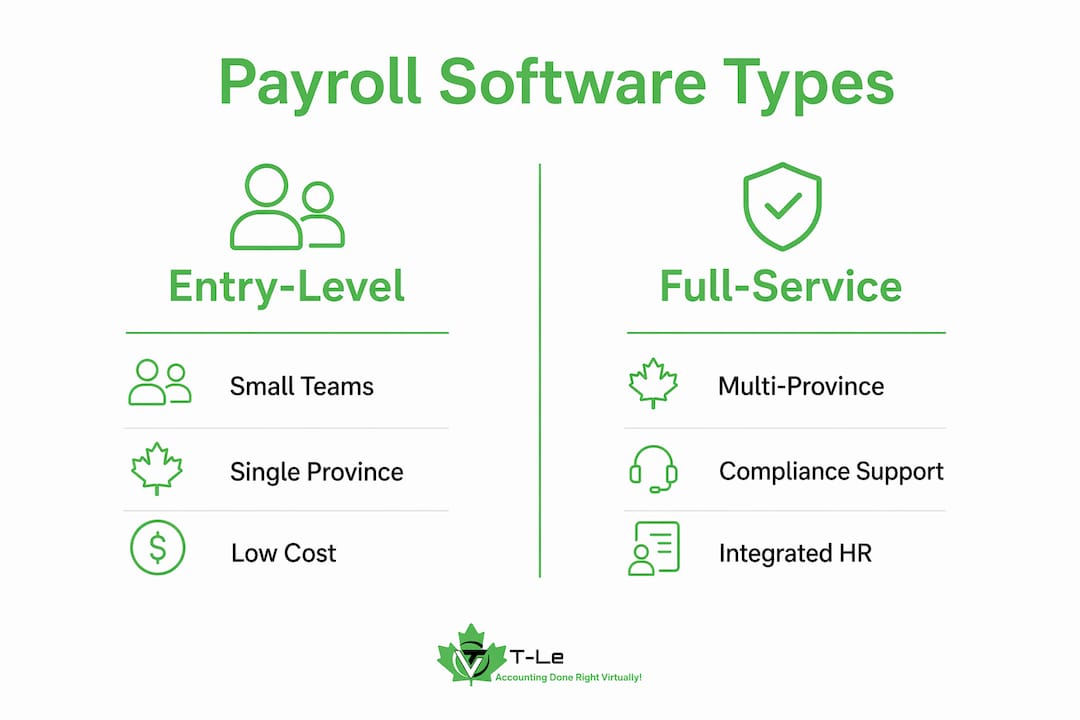
Entry-level cloud tools suit you if your team is small, stable, and all in one province. Once you hire across provincial borders or bring on Quebec employees, the compliance gap between categories becomes significant. Matching the solution to your business stage rather than picking the most popular name is the single most useful frame for this decision.
Prioritise remittance automation, multi-province support, and integration with your accounting or time-tracking tools. Those three criteria eliminate most mismatches before you even book a demo.
| Pricing model | Typical monthly cost | Who it suits |
|---|---|---|
| Per employee + base fee | a base fee plus a per employee charge | Teams of small to medium size |
| Flat-rate managed service | a flat monthly rate | Any size preferring outsourced compliance |
| Tiered platform (HR + payroll) | a tiered base fee plus per employee charges | — |
Red flags: hidden per-transaction fees, vague answers about Revenu Québec handling, no sandbox or trial environment, and no clear remittance confirmation process.
Pro Tip: Before switching platforms, confirm your CRA remitter type on your payroll account and run the full remittance flow in a test environment. A misconfigured remitter type is one of the most common causes of CRA penalties for otherwise compliant businesses.
Any viable payroll solution must automate source deduction calculations, remittance scheduling, T4 and ROE preparation, and provincial rate updates. Without those four capabilities, you are carrying compliance risk manually.
Required features for Canadian compliance:
Industry reporting confirms that payroll errors and delays are widespread in Canada and materially damage employee trust. Integrated payroll, accounting, and time-tracking systems reduce manual reconciliation and give you real-time labour cost visibility, which matters more as your team grows.
Pro Tip: If you have employees in Quebec, confirm that your platform handles QPP (not CPP) and QPIP separately, and that it supports the Revenu Québec RL-1 slip alongside the federal T4. Many entry-level tools omit this entirely.
Most small businesses can complete a payroll migration in four to six weeks if they gather the right inputs upfront.
| Phase | Typical duration | Who does the work | Common blockers |
|---|---|---|---|
| Discovery and vendor selection | about one to two weeks | Owner, accountant | Unclear remitter type, missing BN |
| Data entry and system setup | about one week | Owner or vendor | Incomplete employee records |
| Parallel payroll run | one or two pay periods | Owner, vendor support | Discrepancies in YTD figures |
| Go-live first payroll | one pay period | Owner | Banking setup delays |
| First remittance confirmation | By by the 15th day of the month after remittance | Owner or managed provider | Wrong remitter type configured |
Running at least one parallel payroll, where you process in both the old and new system and compare outputs, catches calculation errors before they affect employees or trigger a CRA notice.
The Canadian market has a clear set of platforms that small businesses rely on. Here is a practical overview of the main options.
Wagepoint is built specifically for Canadian small businesses. It handles CRA remittances, T4s, ROEs, and direct deposit, and its pricing is transparent and per-employee. It does not cover Revenu Québec natively, so Quebec-heavy teams should confirm current support before committing.

QuickBooks Payroll (Intuit Canada) integrates directly with QuickBooks Online, which makes it a natural fit if you already use that platform for bookkeeping. It automates source deductions and T4 filing and suits teams that want payroll and accounting in one place.
ADP Canada covers the full range from small business to enterprise. Its small business payroll software is rated 4.4 out of 5 stars (1,398 reviews) on Capterra. It handles CRA and Revenu Québec, supports multi-province payroll, and offers time tracking and HR modules as add-ons.
Ceridian Dayforce is an HR-integrated platform suited to businesses with 50 or more employees that need payroll, scheduling, and benefits in one system. It supports full Canadian compliance including Quebec.
Payworks is a Canadian-owned platform with strong CRA and Revenu Québec support, direct deposit, ROE filing, and HR add-ons. It is a solid choice for businesses that want a Canadian provider with dedicated support.
Wave Payroll (Canada) offers a low-cost entry point for very small teams. It handles source deductions and direct deposit for most provinces. Quebec support is limited, and it suits solopreneurs or teams of fewer than five.
Collage HR combines HR and payroll for small Canadian businesses, with onboarding, time off, and benefits alongside payroll processing. It is a good fit for teams that want HR and payroll in one tool without enterprise pricing.
Nethris is a Quebec-focused platform with strong Revenu Québec and bilingual support. If your business is based in Quebec or has significant Quebec payroll, Nethris handles the provincial complexity that many other platforms struggle with.
The consistent theme across Canadian small business reviews is that compliance confidence and ease of remittance handling matter far more than price. Business owners who switched from manual spreadsheets to a cloud payroll platform consistently report fewer CRA notices and less time spent on year-end T4 preparation.
Businesses with Quebec employees frequently note that finding a platform with genuine Revenu Québec support, not just a checkbox on a feature list, required more research than expected. Platforms that handle RL-1 slips and QPP natively receive noticeably stronger reviews from Quebec-based users.
Multi-province employers tend to outgrow entry-level tools faster than they expect. The jump from one province to two often reveals gaps in remittance automation and reporting that were invisible when payroll was simpler. Businesses that moved to a managed payroll service at that point report the transition as straightforward, particularly when their accounting firm handled the migration.
The best payroll software for Canadian small businesses is the one that matches your current complexity, handles CRA remittances automatically, and grows with you as you add employees or provinces.
| Point | Details |
|---|---|
| Match solution to stage | Solopreneurs suit entry-level cloud tools; growing or multi-province teams need full platform support. |
| Remitter type is critical | Your CRA remitter type sets your remittance schedule; the wrong setup triggers penalties even with correct calculations. |
| Quebec needs native support | Platforms must handle QPP, QPIP, and RL-1 slips natively; a checkbox is not enough. |
| Integration reduces errors | Connecting payroll to accounting and time tracking cuts manual reconciliation and improves labour cost visibility. |
| Tledgers managed payroll | For businesses that prefer hands-off compliance, Tledgers handles remittances, T4/ROE, and Quebec filings at a flat rate. |
Outsource payroll when compliance risk or administrative burden exceeds what you can reasonably manage internally. That is the short answer. The longer one involves recognising the specific signals that tell you the line has been crossed.
Software is genuinely sufficient for a stable, single-province team with straightforward pay types. The platforms available today automate the calculations well, and a careful owner can stay compliant with modest effort. The problem is that “modest effort” grows quickly. Add a second province, introduce commission or bonus structures, hire a Quebec employee, or miss one remittance deadline, and the administrative load compounds.
The indicators that outsourcing makes more sense than upgrading your software: you have staff in more than one province; you have made payroll corrections more than twice in a year; your accountant spends time cleaning up payroll data at year-end; or you simply do not have the bandwidth to stay current on CRA rule changes — situations where fintech customer support outsourcing can provide scalable help. Any one of those is a reasonable trigger. Two or more together, and the cost of a managed service is almost always lower than the cost of errors and your time.
One point that often gets overlooked: when you do outsource, governance still matters. Keep internal records of what was remitted and when, review the payroll journal each period, and confirm remittance receipts from CRA. Outsourcing the work does not outsource the director’s responsibility for unpaid payroll taxes.
Predictable payroll costs and zero compliance surprises are what Tledgers delivers for Ontario small businesses that would rather focus on running their company than tracking remittance deadlines.

Tledgers handles the full payroll cycle at a flat monthly rate: source deduction calculations, CRA remittances, Revenu Québec filings, T4 and ROE preparation, and year-end reporting. Everything is managed by CPAs, and clients access documents and updates through the Tledgers client portal. There are no hourly billing surprises and no separate fees for Quebec filings or year-end forms. For businesses that also need bookkeeping or corporate tax support, Tledgers bundles those services under the same flat-rate model.
If you are ready to hand off payroll compliance to a CPA-backed team, visit Tledgers payroll services to see the flat-rate options and get started.
This article is general information, not professional payroll or tax advice. Confirm current CRA rules, remitter type obligations, and Revenu Québec requirements with the primary sources above or a qualified CPA for your specific situation.
The best option depends on your team size and province mix. Entry-level cloud tools suit simple single-province teams; full payroll platforms with CRA and Revenu Québec support are better for growing or multi-province businesses.
Full payroll platforms and managed payroll services automate remittance scheduling based on your CRA remitter type. Entry-level tools often calculate deductions but may require you to remit manually.
Not necessarily, but your platform must natively support Revenu Québec, QPP, QPIP, and RL-1 slips. Many entry-level tools do not; confirm Quebec support explicitly before purchasing.
You must register before your first remittance due date, which is generally the 15th of the month after you first withhold payroll deductions.
Yes. Tledgers provides flat-rate managed payroll for Ontario small businesses, covering CRA remittances, T4/ROE filing, Quebec filings where applicable, and year-end reporting through a CPA-backed team.


